Defining Cash Register Stations in Web
A cash register is a logical definition used to group financial
transactions, for a computer to sell anything in Sportsman (ie. Activity Registration, Day Pass, Facility
Reservation, Merchandise, etc.), it must be assigned to a cash register
definition.
These cash registers then open tills which collect the
transactions so you can reconcile the payments you collected at the end of the
day. By having multiple Cash Register
definitions, you can have different batches of funds for the front desk, vs. a
concession stand, the back office, etc.
You may have multiple workstations linked to a single cash
register, and all the workstations that are linked will be operating within a
single till. You may also have each
workstation linked to a separate cash register and working within its own till.
We always have a separate cash register definition for the
internet so that payments collected on the ActivityReg
site are separate from the ones collected at the counter.
This Document will go over:
ü Adding a new Cash Register
ü Automatically Closing Tills
ü Inventory Location
Adding a new Cash Register
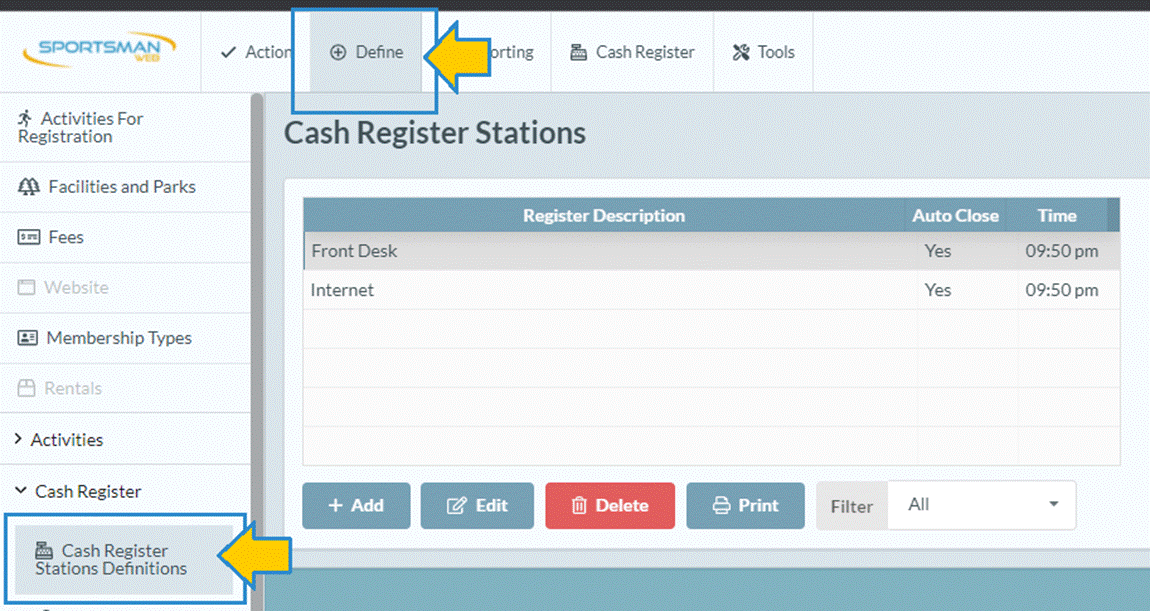
To begin navigate to Define > Cash Register >
Cash Register Station Definitions
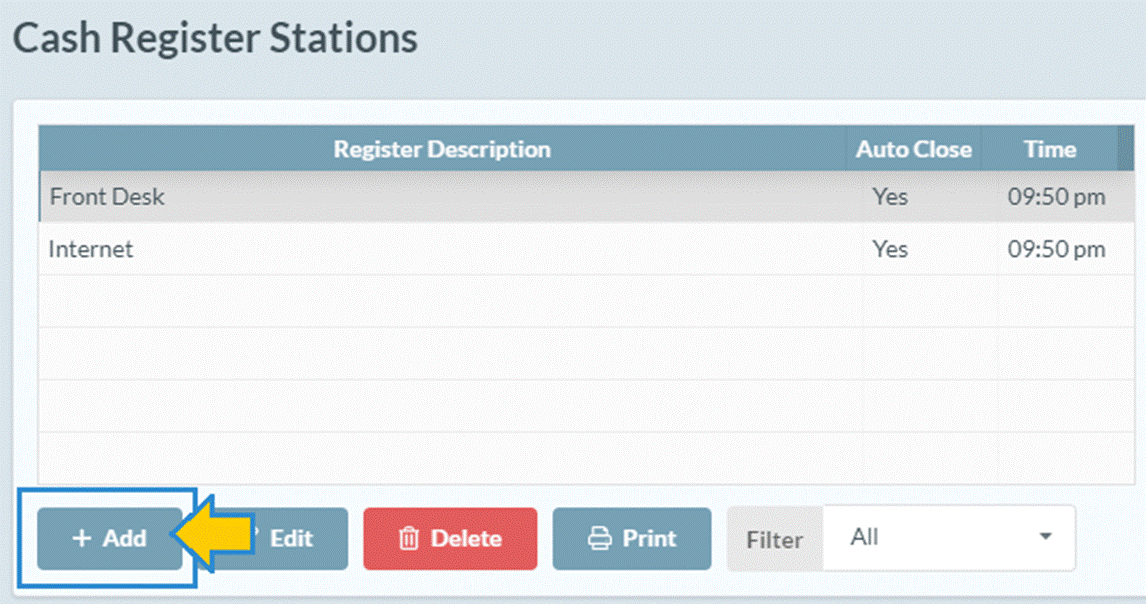
Click [Add].
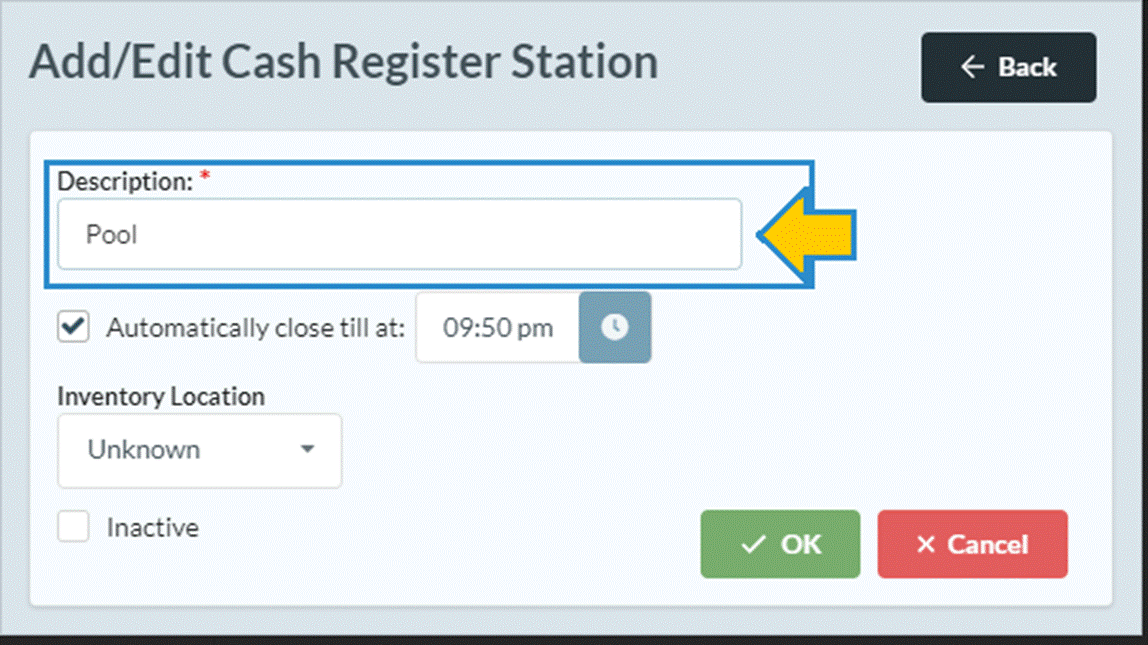
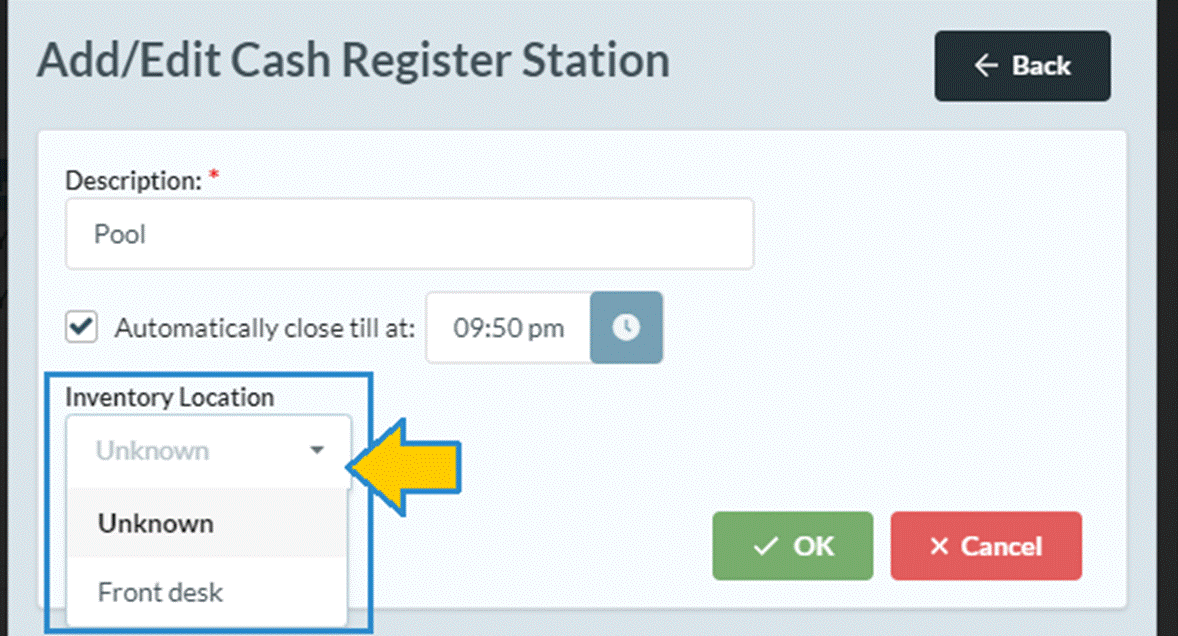
Then fill in the Description for the register your need to create.
For example, Front desk or Pool.
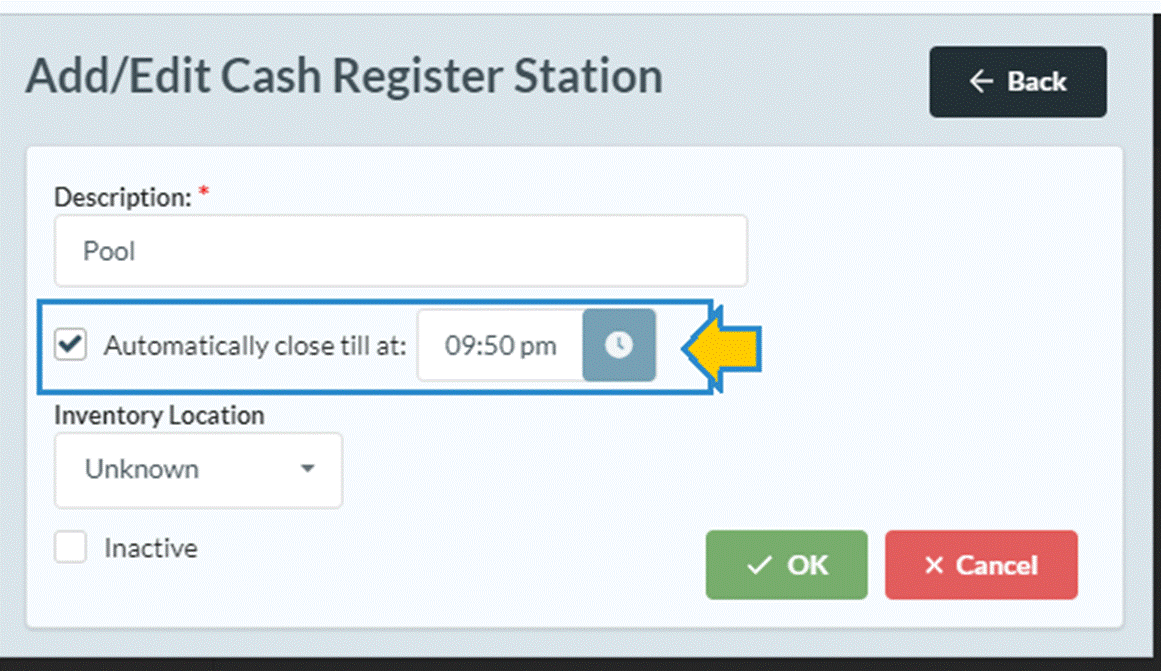
Automatically Close Till
Most tills you will want to close automatically each night. By
choosing to automatically closes the till, you can still close it manually but
if you forget, it gets done for you. If left unchecked these tills will remain
open indefinitely until you close them out manually.
Inventory Location
If you have the inventory control module you may assign this cash
register to an inventory location.
***Note*** If you decide to no longer use this cash register but you have
used it in the past, you do NOT want to delete it. Instead mark check the “Inactive” Box.
SM:CR/POS:B:Dec21