Handling Non-Responsive Credit Card Request
Sportsman
allows you to change settings that determine how a ‘no-response’ from your
credit card process on the request impacts the registration/reservation and the
payment. If at any time you find yourself in need of additional support, please
contact our Technical Consultants at support@peakinfo.com or 801-572-3570 x2.
Prerequisites:
Make sure you have admin permissions with in Sportsman.
This
document will go over:
ü Locating Credit Card Settings
ü Handling non-response Credit Card Requests
Locating Credit Card
Settings
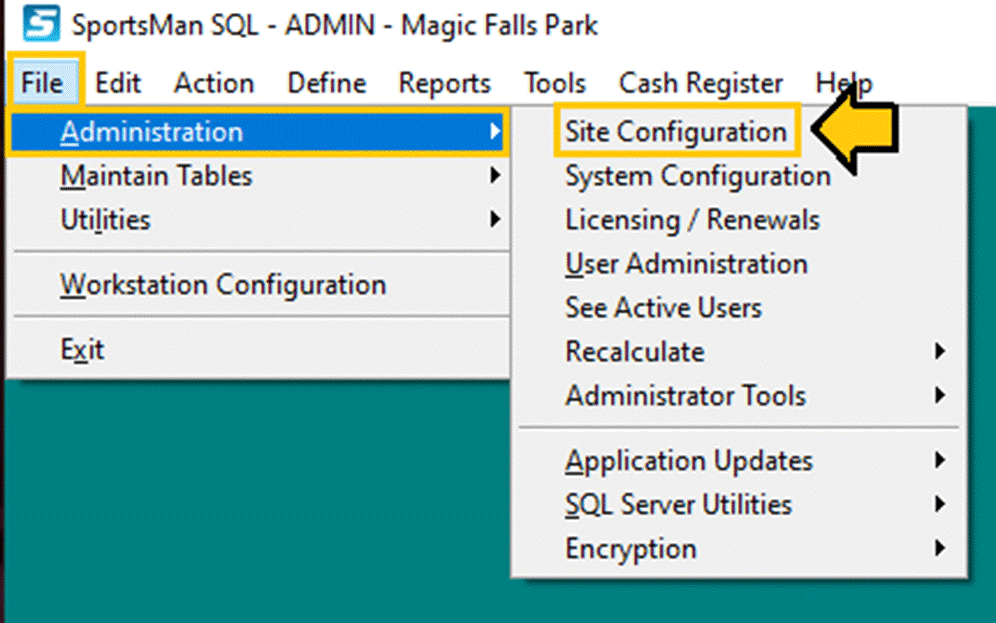
When logged in as an administrator navigate to File
> Administration > Site Configuration
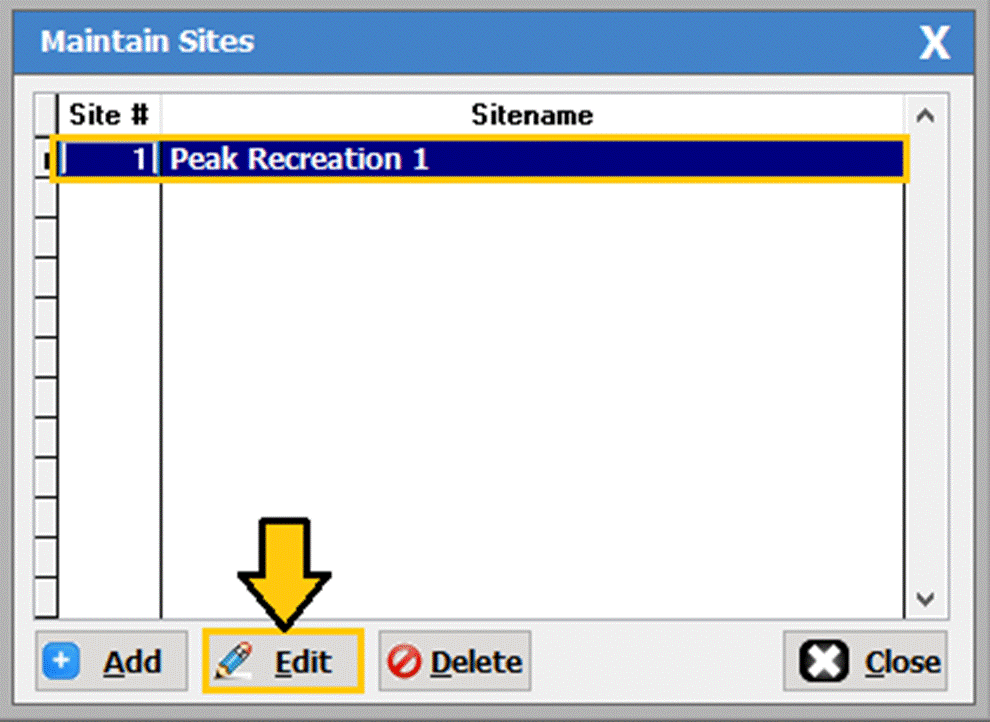
Highlight
your site, then select the [EDIT] button.
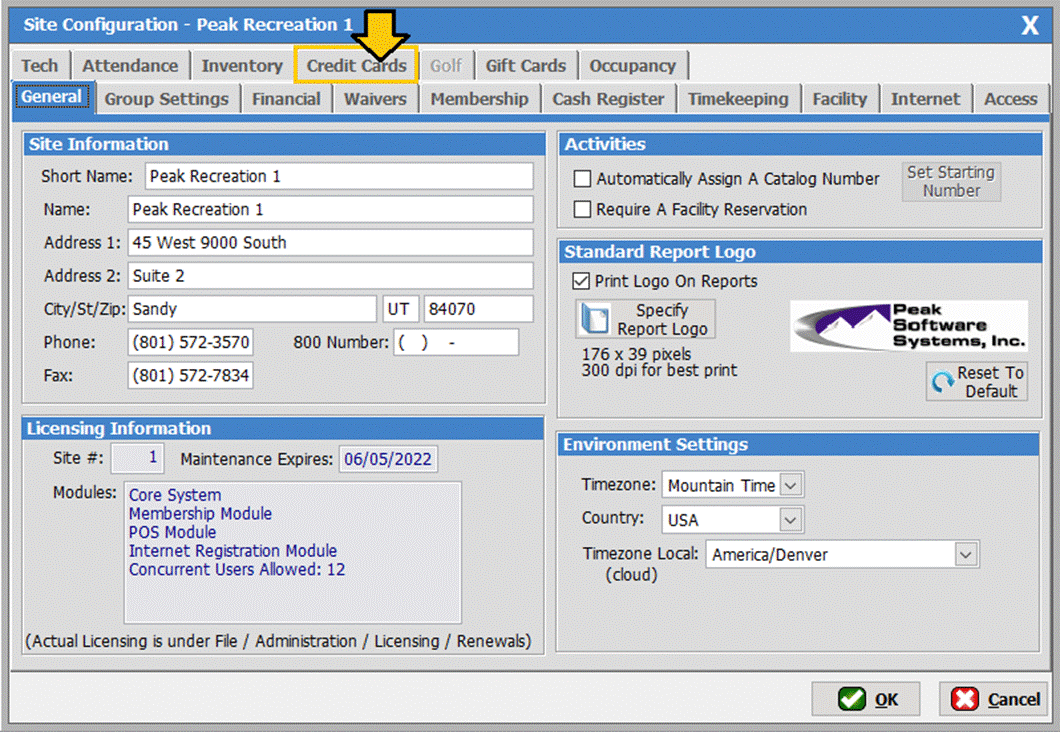
The ‘Site Configuration’ screen will populate as shown
below.
Handling non-responsive
Credit Card Requests
When an in-person
charge is made on a credit card through Sportsman a request for authorization
and payment is made to your card processing company. An electronic response is generally returned
with in a fraction of a second confirming or denying the charge. On rare
occasions your company may not respond to the electronic request and you can
configure how you want sportsman to handle these rare occurrences.
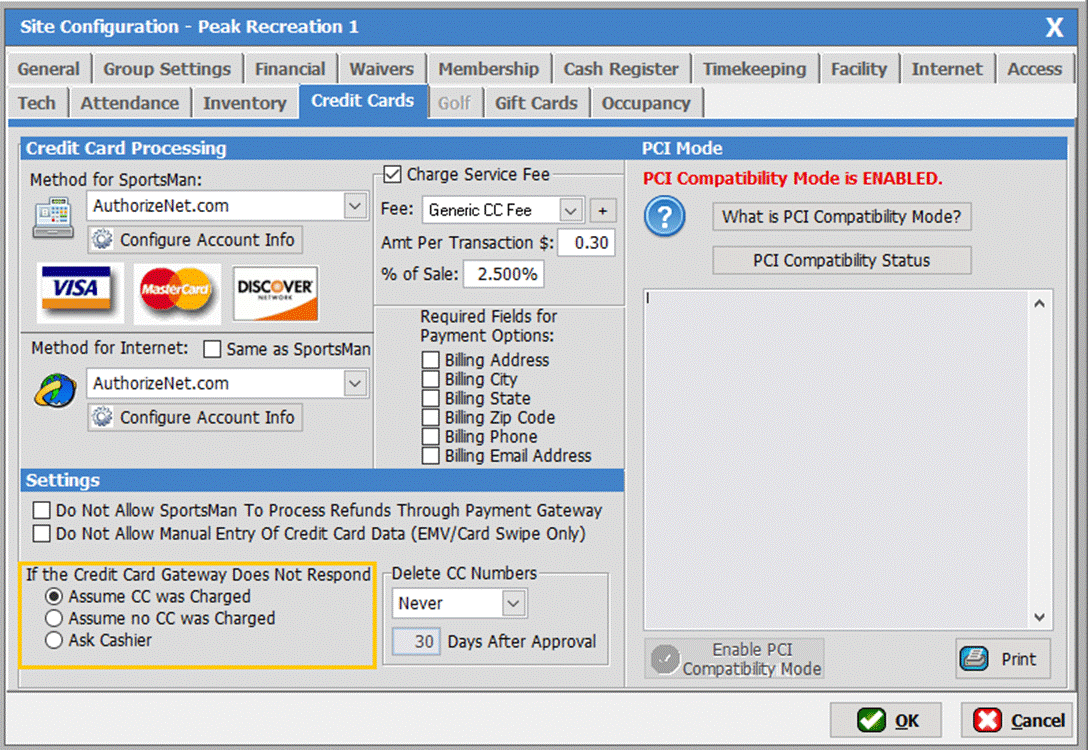
Assume CC was Paid
You can elect to have the system make the assumption that the charge will
credit the payment and allow the registration with the ‘Assume CC was Paid’ setting. This is
the recommended setting and how all card authorizations are handled for online
(ActivityReg website) payments with Sportsman. Upon reconciliation with your
card account statement, you discover that the payment was denied, you can call
the client for a substitute payment.
Assume No CC was Charged
As an alternative, you can also elect to make the assumption that the
payment is not good. In that case the registration (if payment is required)
will NOT be made and/or another card or payment may be requested by the client
at the desk. This is the ‘Assume no CC
was Charged’ setting. The risk here is that
the customer possibly gets charged twice and may have duplicate registration if
the authorization in fact was successful and the payment appears on the card
statement. In this case the customer will need a refund and any duplicate
registration needs to be cleared. Another risk is that the client gets charged
the fee but does not get registered at all.
Ask Cashier
The third alternative is to ask the Cashier how to handle. This option is not recommended as one of the
two other choices would provide consistency among all staff.
SM:CR/POS:
B: July21