Managing ActivityReg® Account Logins
If a customer forgets their
password to login to the ActivityReg® website they
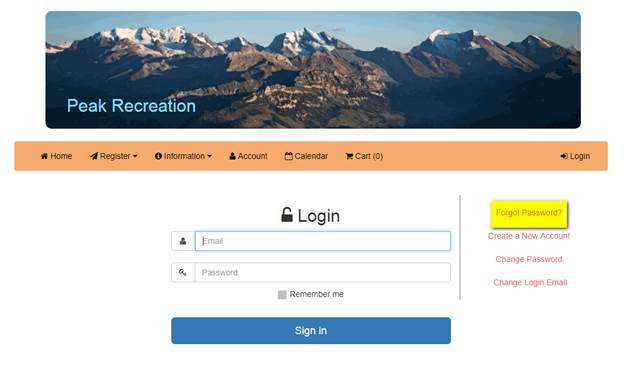
can request a temporary password to be emailed to them. On the main home screen click:
Login
> Forgot Password?
This will generate a password
reset email that will be sent to the customer and will give them the ability to create a new password.
A patron’s password can also be
changed manually using the Sportsman software.
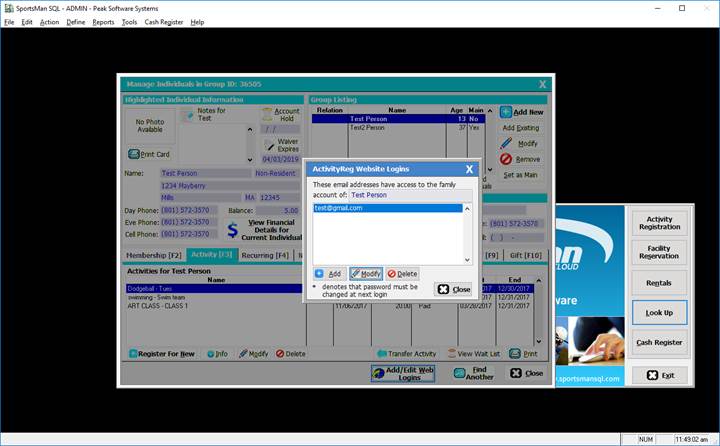
Lookup the patron > Add/Edit
Web Logins > Modify
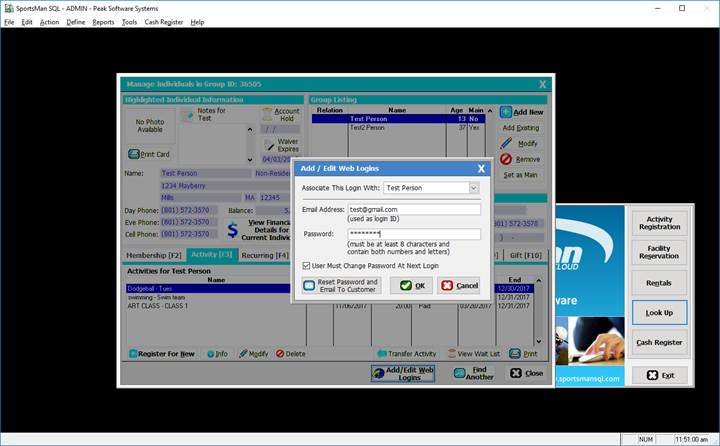
Enter in a new temporary password for them,
it’s helpful to copy/paste from a text document to avoid errors.
Must be at least eight characters and contain both numbers
and letters.
You can set it up to force the patron to change their password
next time they log in by checking the box ‘User must change password at next
login’.
Reset Password and
Email to Customer – This feature will
email them the patron a temporary password that can be changed once logged
in.