Protecting Credit
Card Data With PCI Compatibility Mode
CRITICAL: Sportsman User Administrators Must be Aware of Their PCI Settings.
PCI Mode protects your credit card
data from being attached to your Sportsman database. In 2019 we notified all customers to check
and move to PCI Mode and we have recently discovered that some customers have
reverted back or have never initiated PCI Mode.
This is dangerous and against our recommendations.
We require all customer use PCI mode and we are requesting
you to be aware of and maintain your PCI settings in Sportsman.
Please call our Technical team for the password you will need
to implement PCI Mode.
An Administrative login is required to
navigate to File>Administration>Site
Configuration. Once there
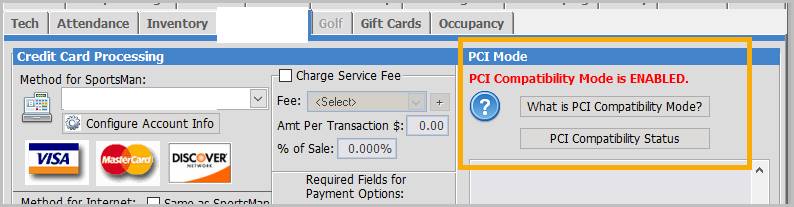
select your ‘site’ if you have more than one, and click [EDIT], then select the “Credit Cards” tab. Enabling PCI
Compatibility Mode removes all sensitive credit card information from your Sportsman
SQL database, and prevents the Sportsman application from storing,
transmitting, or directly handling sensitive credit card information.
Additional information is available from the information buttons.